
Move from Lovable
How to export a Lovable project and keep building with your own AI
A Lovable project is ordinary code that belongs to you. This guide gets it into your own GitHub, opens it in InstaWeb so Claude Code, Codex or Cursor can keep working on it, and covers the parts a code export doesn't include.
- LovableWhere the project is now
- Your GitHubThe code, with its history
- InstaWebYour own agent keeps building, on your computer
- Your hostVercel, Netlify, Cloudflare or any other
Before you start
- A GitHub account.
- A Claude, ChatGPT or Cursor plan, or an API key. InstaWeb runs your own coding agent and sells no AI.
- A Mac, Windows or Linux computer. InstaWeb runs there, and you use it in your browser.
Not sure it is worth moving? See how InstaWeb and Lovable compare, including when Lovable is the better choice.
1. Get the code out of Lovable
Connect the project to GitHub
In Lovable, open Project settings, then Git, then GitHub, and click Connect. Lovable creates a new repository in your GitHub account and keeps it in two-way sync. This works on every plan, including Free.
Or download the code
On a paid plan, anyone who can edit the project can use Download codebase to get a zip file. GitHub is the better route: it keeps the history and it is free.
2. Open it in InstaWeb
- 1
Install InstaWeb
Sign in at instawebai.com with Google and paste the one command it gives you into a terminal. It installs InstaWeb and finds the coding agents you are already signed in to: Claude Code, Codex, Cursor or OpenCode.
- 2
Import the project
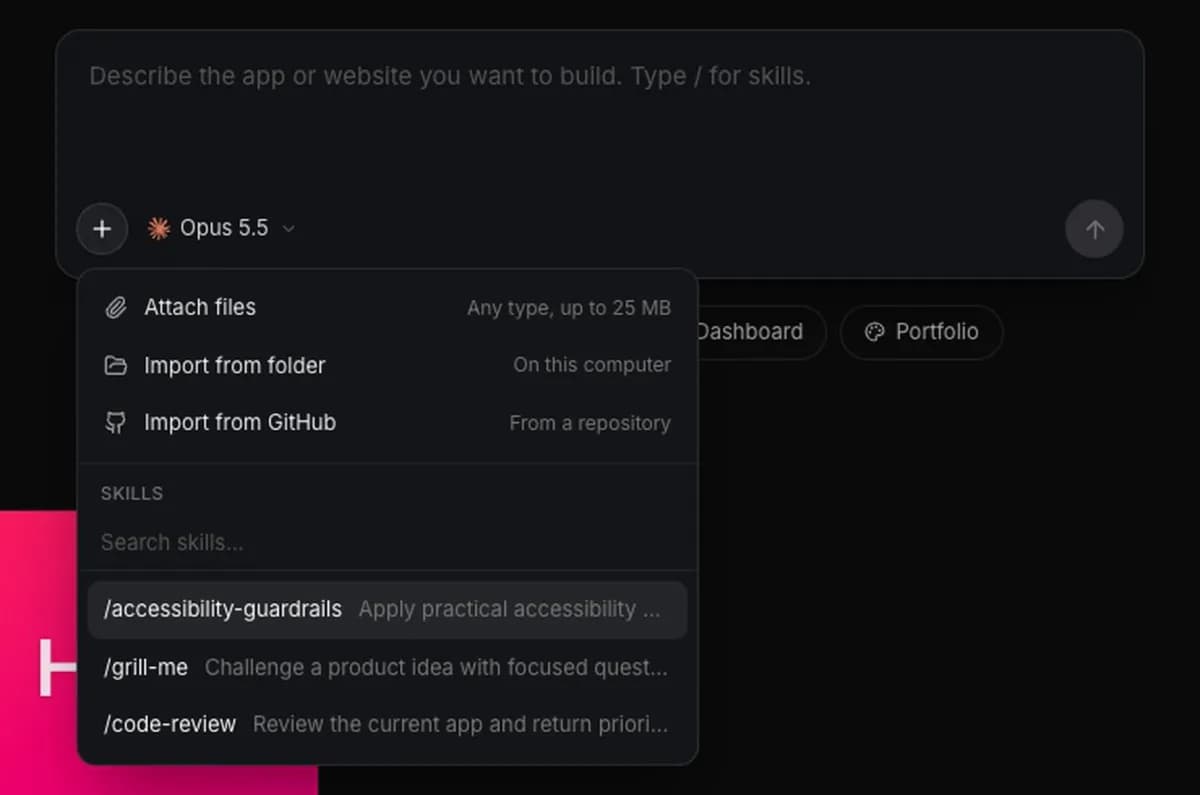
On the Projects page, click + in the new-project box and choose Import from GitHub, then pick the repository. If you downloaded a zip instead, unzip it and choose Import from folder. InstaWeb runs the project on your computer with a live preview.
- 3
Keep building
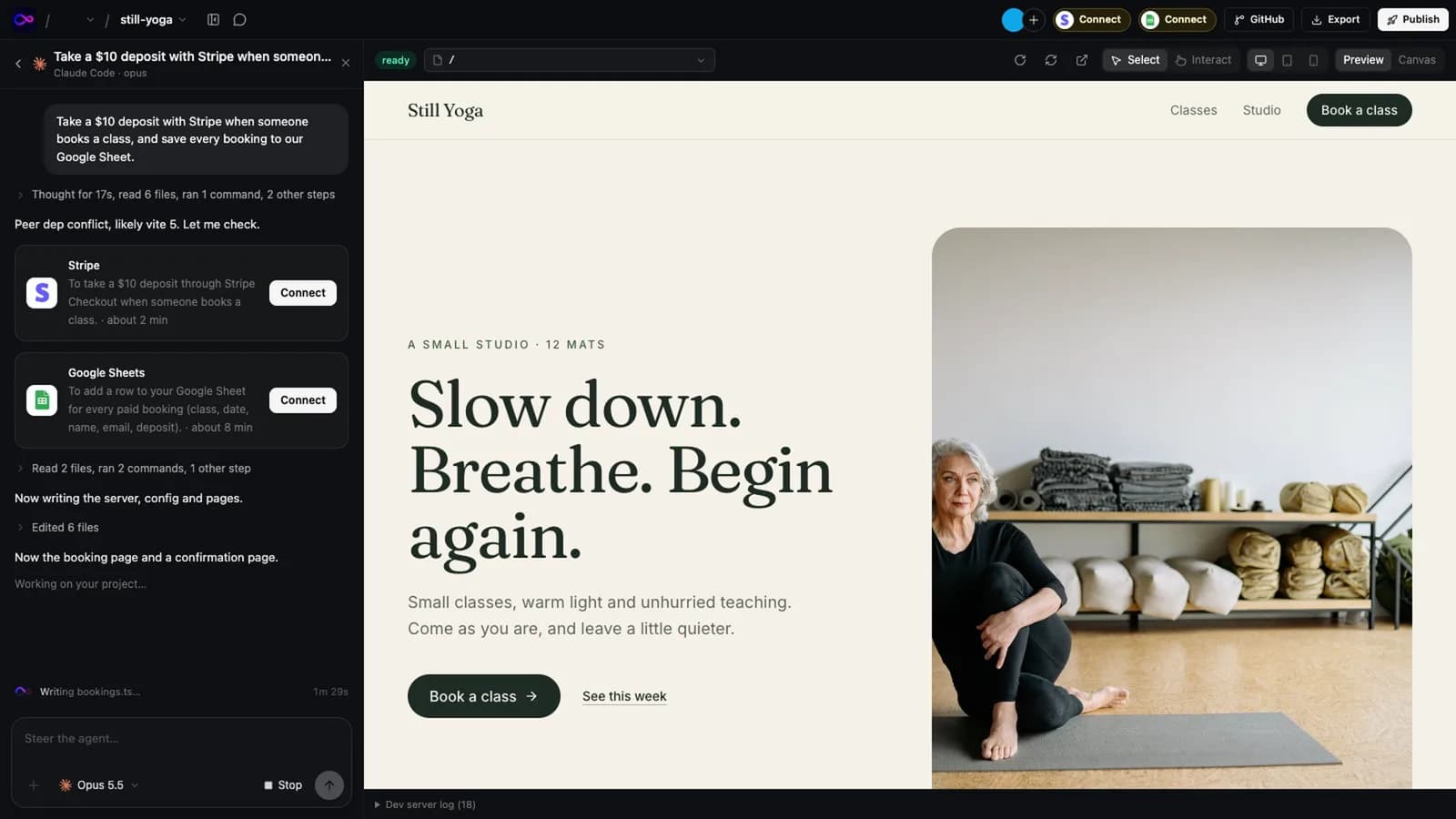
Type what you want, or click anything on the page and ask for a change. Your own agent edits the real source files, on the AI plan you already have, and each run is saved as a commit.
3. Bring over what the code doesn't carry
The repository holds the app's code. These live in Lovable and need moving, or setting up again, before the app works somewhere else:
Environment variables
The app finds its backend through VITE_SUPABASE_URL, VITE_SUPABASE_PUBLISHABLE_KEY and VITE_SUPABASE_PROJECT_ID. Set them wherever you run and host the app.
Secrets
Secrets stored in Lovable are not in the repository. Create them again on your host or in your Supabase project.
The database
To move the data to a Supabase project of your own, apply the files in supabase/migrations, ask Lovable for a database export (one every 24 hours) and restore it with pg_restore. There is no automatic migration between Lovable's built-in backend and your own Supabase.
Sign-in, files and functions
Users and their password hashes come across with the database; sessions don't, so people sign in again, and sign-in providers such as Google need setting up again. Download stored files and upload them to the new project. Deploy functions with npx supabase functions deploy.
What stays behind
Lovable's connectors, calls that go through its AI gateway and its managed OAuth don't move. Replace AI calls with your own provider key.
Your domain
Once the app is live on your host, point the domain's DNS records at it.
You can hand most of this to your agent: tell it which service the database and secrets are moving to, and it can make the changes in the code.
4. Publish
Publish to your host
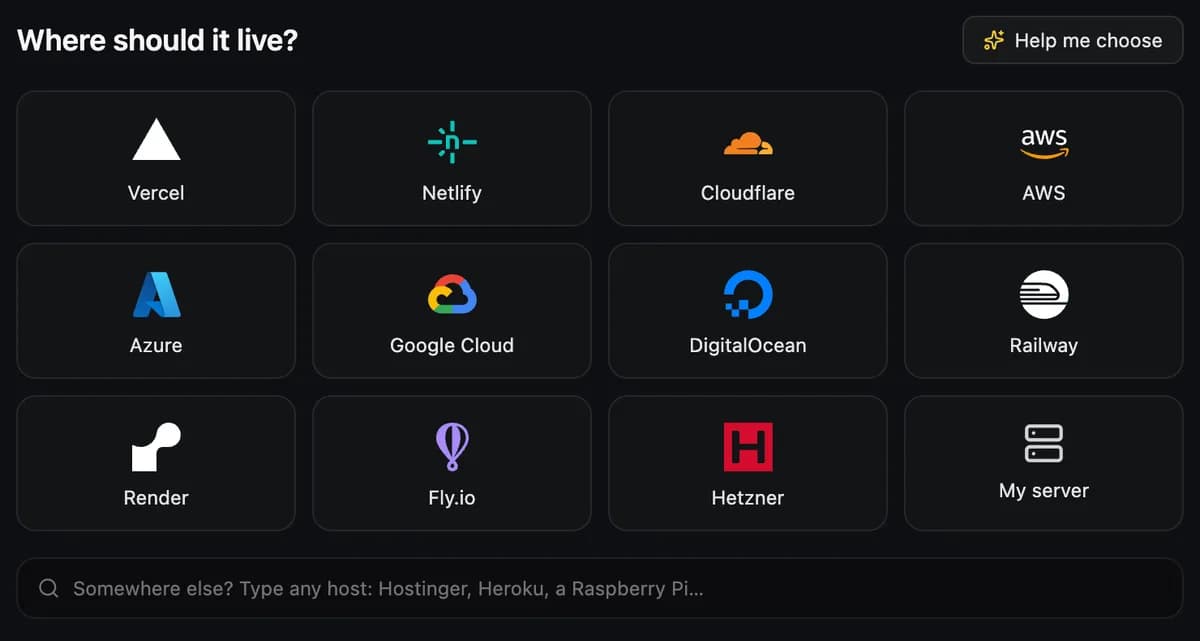
Pick a host and the deploy agent builds the app, signs in through the host's own page and hands you the live link. Add the environment variables and secrets there. For a quick look before you commit to a host, you can get a free Cloudflare link without an account.
From here the app is plain code in your GitHub, running on your host. Nothing in it calls InstaWeb or Lovable.
Related
Sources
Everything said about Lovable here comes from the official pricing pages and documentation, read on 13 November 2026. Plans and features change: check them before you decide, and tell us if something here is out of date.
Try it on a real project
14 days free, no card. Bring your AI, keep the code, host it wherever you want.