
Claude Code GUI
A visual editor for Claude Code
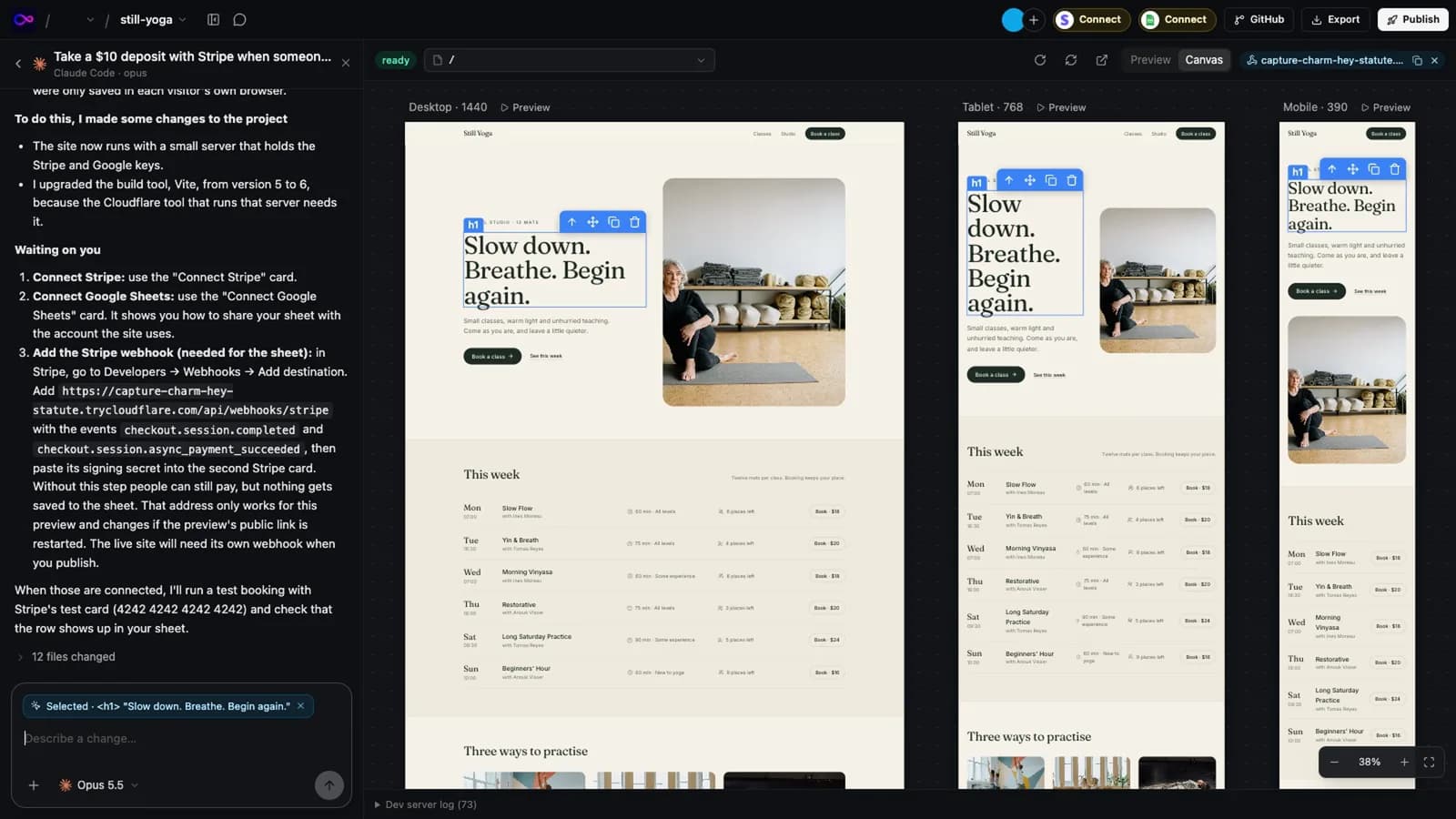
Claude Code is a strong builder of web apps, but in a terminal you only see the result once you open it yourself. InstaWeb runs Claude Code on your computer, signed in with your own Claude account, and puts your app beside the chat: live, at three screen sizes, and clickable.
The short version
Anthropic's own Claude desktop app now has a browser pane too: Claude starts your app there, checks its own work, and you can select an element to send to Claude. If you only use Claude and that pane is enough, you may not need anything else.
InstaWeb is for when you want more around the same agent: any browser instead of a desktop app, three screen sizes at once, Codex and Cursor in the same project when Claude reaches its limit, a team working on shared projects, and publishing to the host you choose.
What InstaWeb adds to Claude Code
See the app while Claude Code builds it
Your app runs live beside the chat, at desktop, tablet and mobile sizes at once. Every change Claude Code makes shows up as it is saved, so you watch the result instead of reading a diff.
Click the thing you want changed
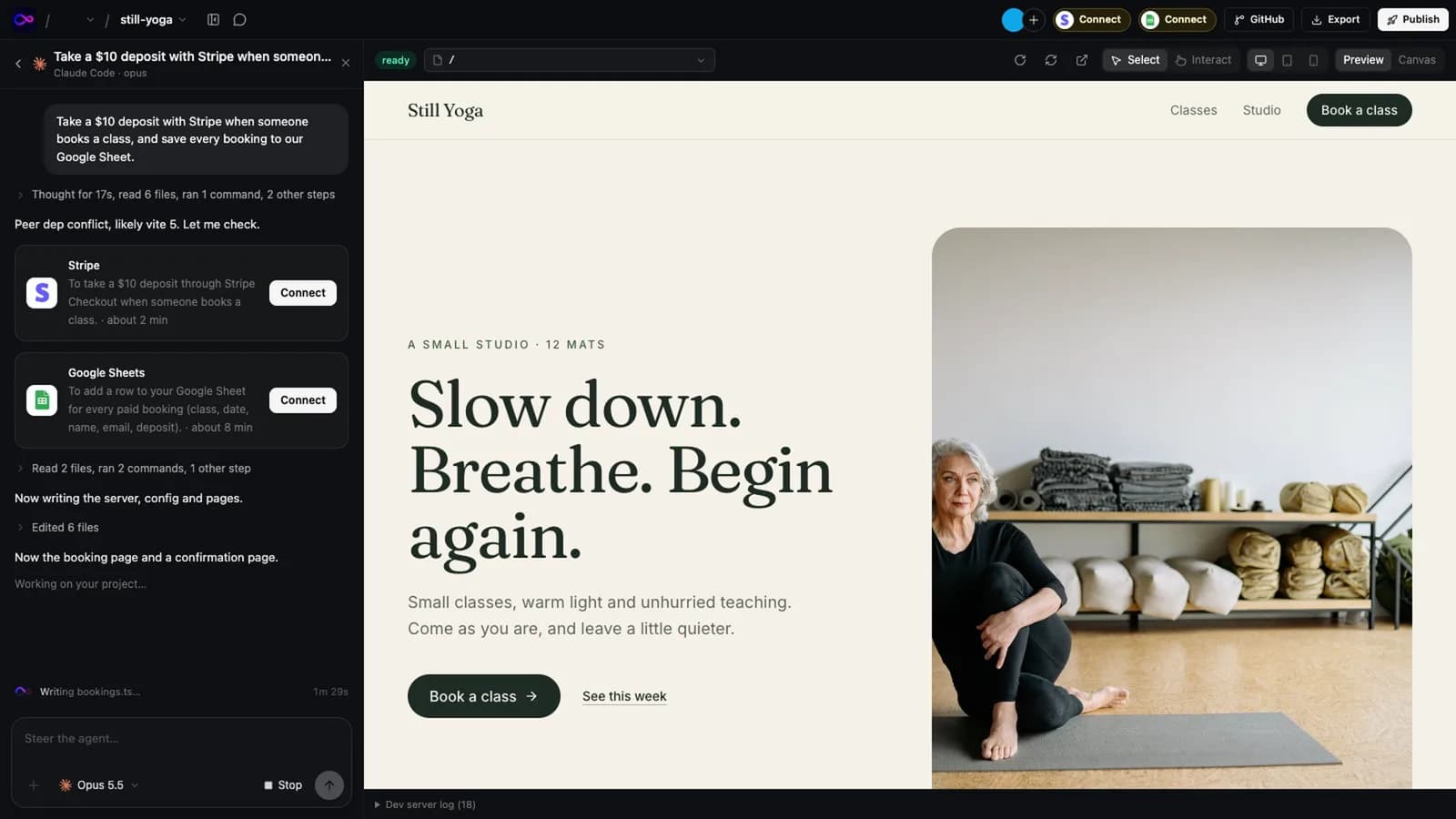
Select a heading, a button or a section on the page and type what you want. The agent gets the element, the file and line it comes from, and a screenshot, so you don't have to describe where it is. Double-click text to change it in place without a prompt at all.
Your plan, your models
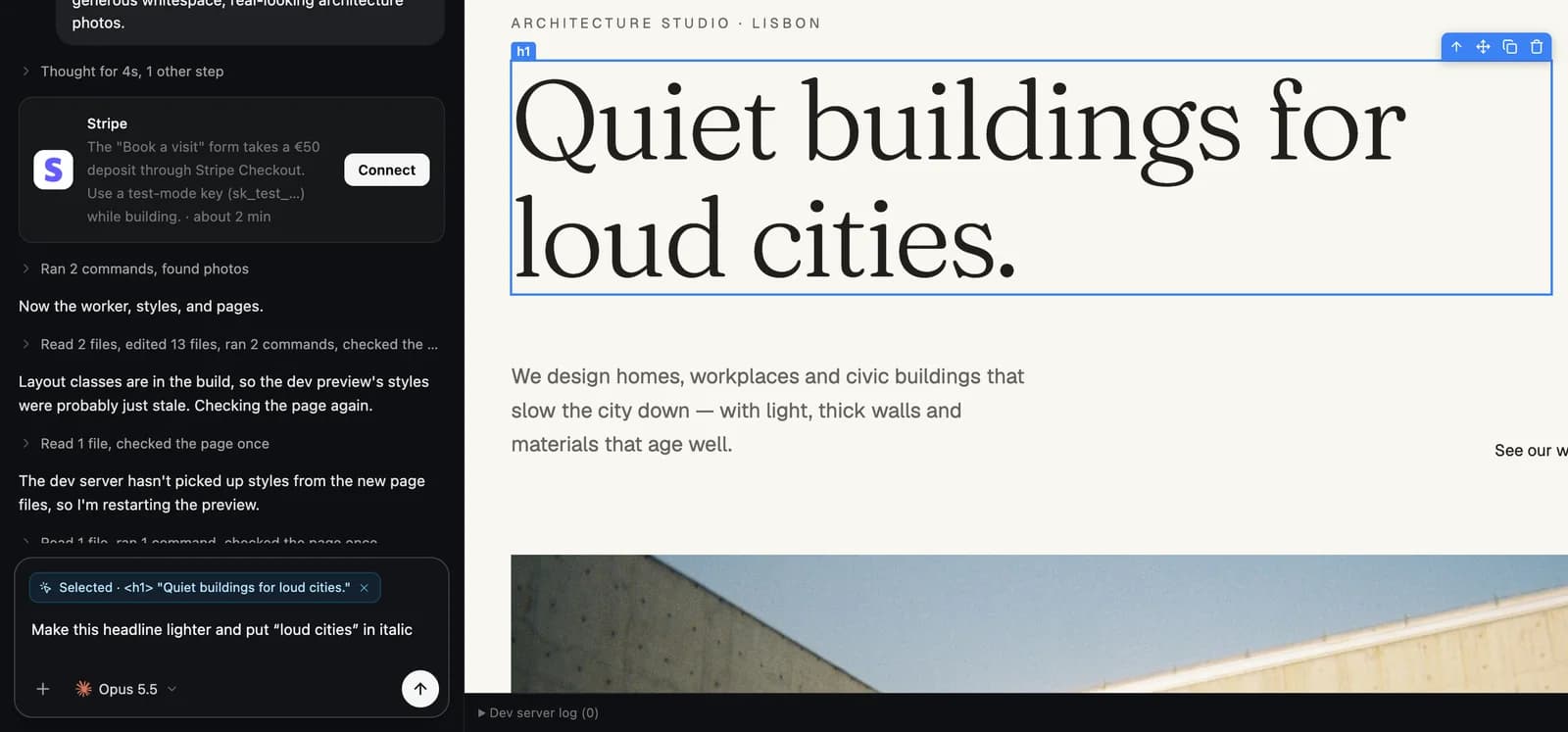
Pick Claude Code and any model your Claude plan includes, for each chat. Requests use your plan's usage limits exactly as they would in a terminal, and InstaWeb's Usage page shows how close you are to them, as Claude Code reports them.
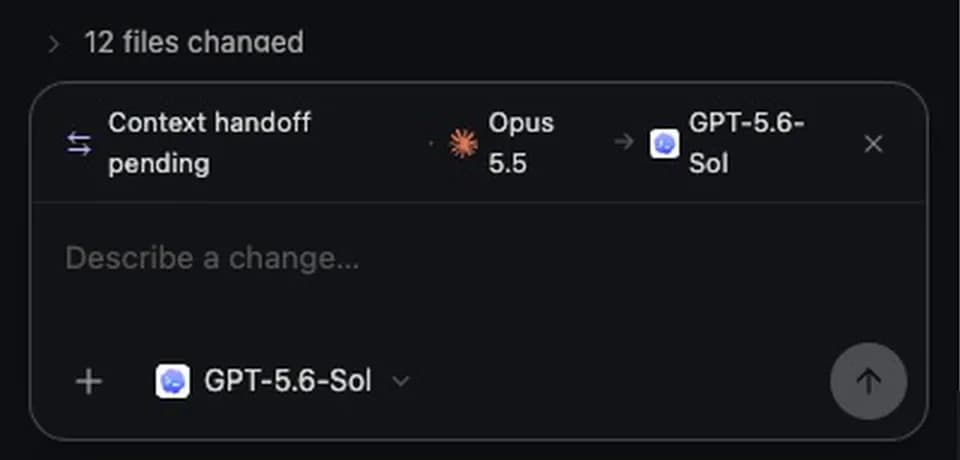
Switch agents without losing the thread
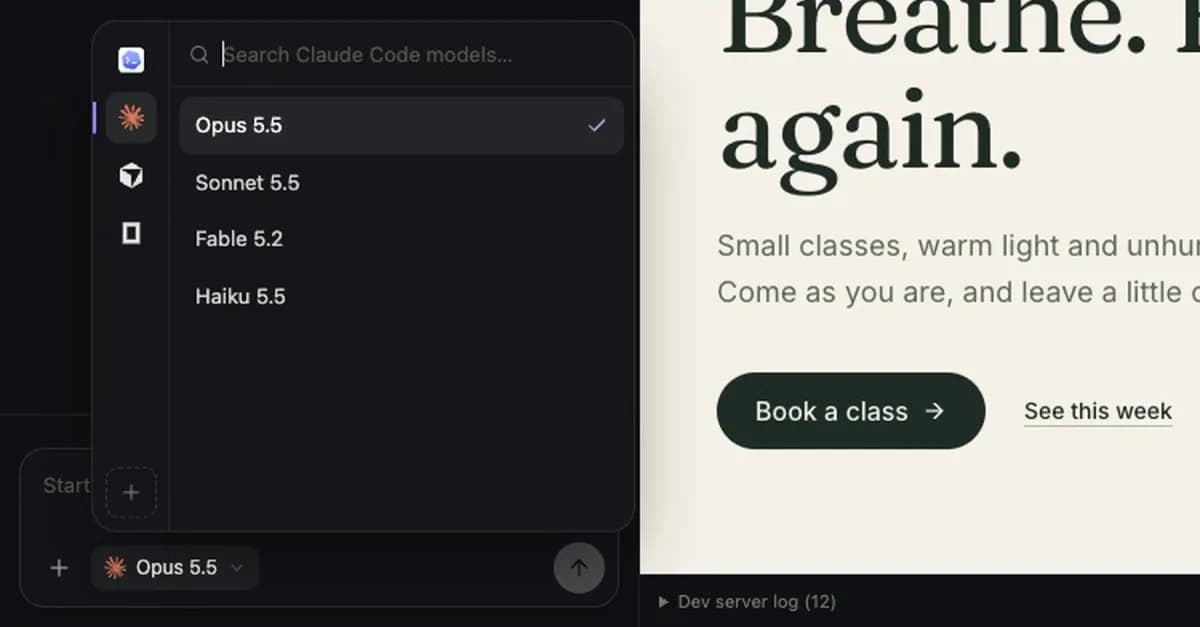
Hit a limit, or want a second opinion? Pick another agent from the same menu. InstaWeb hands the new one the conversation so far, so it carries on from where the last one stopped.
Publish to the host you choose
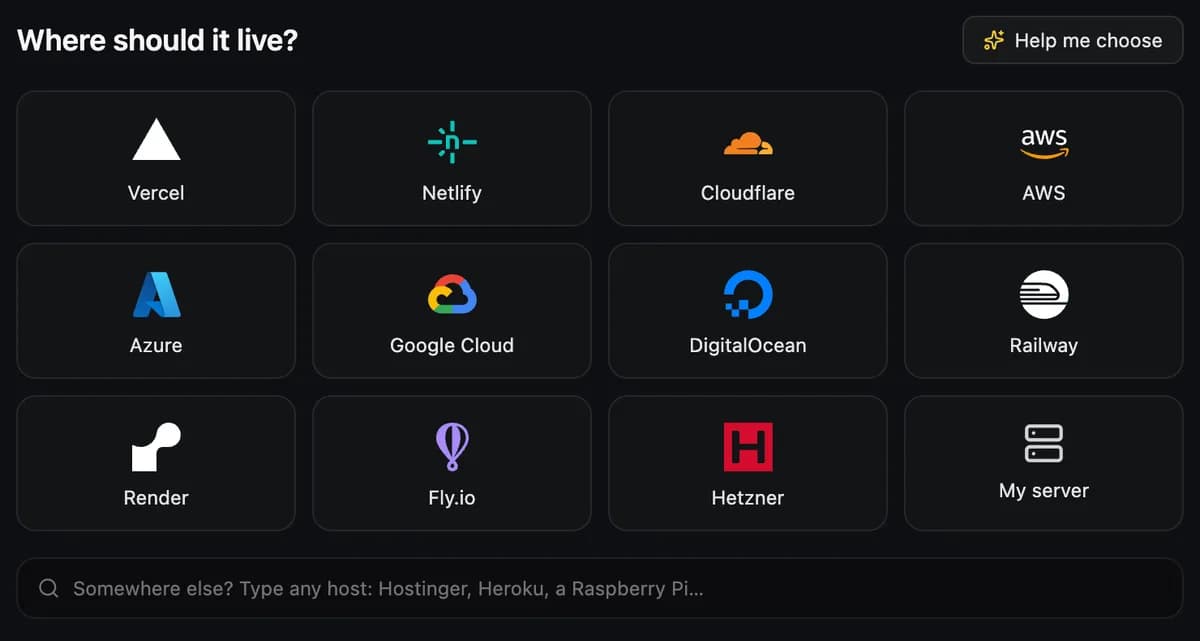
When it is ready, a deploy agent builds the app and puts it on Vercel, Netlify, Cloudflare, AWS or any server you can reach over SSH, signing in through the host's own page. The code stays a normal Git repository in your GitHub.
Claude Code on its own, and in InstaWeb
Anthropic offers Claude Code in a terminal, in VS Code and JetBrains, on the web at claude.ai/code, and in the Code tab of the Claude desktop app. That desktop app has a browser pane where Claude runs your app and checks its own work, and where you can select an element and send it to Claude. The preview is only in the desktop app.
| Claude Code on its own | In InstaWeb | |
|---|---|---|
| Where you use it | A terminal, VS Code or JetBrains, the web, or the Claude desktop app for macOS and Windows (Linux in beta) | Any browser: Chrome, Safari, Firefox, Arc or Edge. InstaWeb runs in the background on your Mac, Windows or Linux computer |
| Seeing the app | In the desktop app, a browser pane with your running app | Your app at desktop, tablet and mobile sizes side by side, updating as files change |
| Pointing at things | In the desktop app, select an element in the browser pane and send it to Claude | Select any element and ask for a change, with the file and line attached. Double-click text to change it in the source with no prompt |
| Other agents | Claude only | Claude Code, Codex, Cursor and OpenCode, switchable in the middle of a project, with a handoff |
| Publishing | No app hosting. Artifacts publish a single page without a backend to claude.ai | A deploy agent publishes to the host you choose: Vercel, Netlify, Cloudflare, AWS, or any server you can reach over SSH |
| What you pay | A Claude plan (Pro, Max, Ultra, Team or Enterprise) or an API key | The same Claude plan or key, plus a one-time InstaWeb licence |
How InstaWeb runs Claude Code
InstaWeb runs Anthropic's own, unmodified Claude Code program on your computer. You sign in through Anthropic's sign-in page, as you would in a terminal, and InstaWeb never sees or stores your Claude login. You can use an Anthropic API key instead.
Every request uses your Claude plan. When you reach the five-hour or weekly limit, Claude Code stops as it would anywhere else; you can switch the chat to Codex or Cursor and carry on.
Claude Code works on the project's real files in a normal Git repository, and each run is saved as a commit, so any change can be undone.
Set it up
- 1
Sign in and paste one command
Sign in at instawebai.com and paste the command it gives you into a terminal. That is the only time you need one: InstaWeb then runs in the background and you work in your browser.
- 2
Connect your agent
Your AI lists Claude Code, Codex, Cursor and OpenCode. If one isn't installed, InstaWeb installs it with its maker's own installer, then opens the maker's own sign-in page. You can paste an API key instead.
- 3
Start or open a project
Describe what you want, import a repository from GitHub, or open a folder on your computer. The app starts in the workspace with a live preview.
When you don't need it
InstaWeb is one way to work with Claude Code, not the only good one. You probably don't need it if:
- You only use Claude, and the browser pane in the Claude desktop app does what you need.
- You work in the terminal or your editor and don't need to watch the app while it is built.
- Your project isn't a web app. InstaWeb previews apps that have a dev server: Next.js, Vite, Astro, SvelteKit, Nuxt, React Router and more.
Questions
- Does it work with a Claude Pro or Max plan?
- Yes. InstaWeb runs Anthropic's own Claude Code and you sign in through Anthropic's page, so it uses your plan the same way a terminal does. InstaWeb never handles your login and doesn't resell Claude usage.
- Do I need the Claude desktop app?
- No. If the Claude Code program isn't on your computer, InstaWeb installs it with Anthropic's own installer.
- Does InstaWeb add AI costs?
- No. InstaWeb is a one-time licence and sells no AI, credits or tokens. Every request runs on the AI plan or API key you already have.
- Can I use it on a project I already have?
- Yes. Import a repository from GitHub or open a folder on your computer. Projects built in Lovable, Bolt, v0 or Base44 open too, once they are in GitHub.
- What happens to my app if I stop using InstaWeb?
- Nothing. It is a normal Git repository on your computer and in your GitHub, running on your host. Nothing in it calls InstaWeb.
Related
Sources
Everything said about Claude Code here comes from the official pricing pages and documentation, read on 13 November 2026. Plans and features change: check them before you decide, and tell us if something here is out of date.
InstaWeb is made by InstaWebAI. It is not made by, endorsed by or affiliated with Anthropic, and Claude Code is a trademark of its owner.
Try it on a real project
14 days free, no card. Bring your AI, keep the code, host it wherever you want.